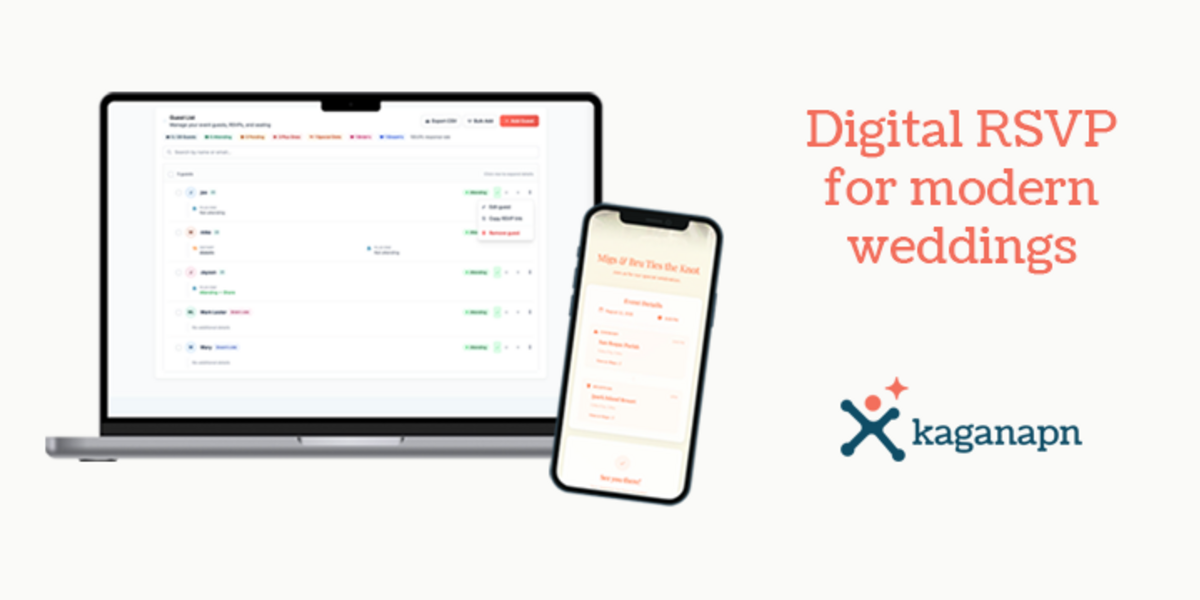
Digital Wedding RSVPs: Why Modern Couples Are Ditching PDFs and Group Chats
Most wedding invitations in the Philippines don't even tell guests how to RSVP anymore. The invitation just says kindly confirm your attendance and leaves it at that.
So what happens? Some guests reply to the Viber group where the invite was shared. Some text the bride directly. Some message on Messenger. Some tell a family member and assume the message will get passed along. Some just show up on the day.
As the couple, you're now collecting confirmations from five different channels with no single place to track them. Did Tita Merly confirm? She said something in the group chat, but was that for your wedding or your cousin's birthday? Your spreadsheet says maybe next to her name because honestly, you're not sure anymore.
It's 2026. You book flights online. You order food on an app. You pay bills with your phone. Why is your wedding RSVP still this messy?
There's a better way, and it's free.
What a digital RSVP actually looks like
When we say digital RSVP, we don't mean a Google Form. We don't mean a Canva graphic with a QR code that links to a Google Form either.
We mean a real, working RSVP page that looks like it belongs to your wedding.
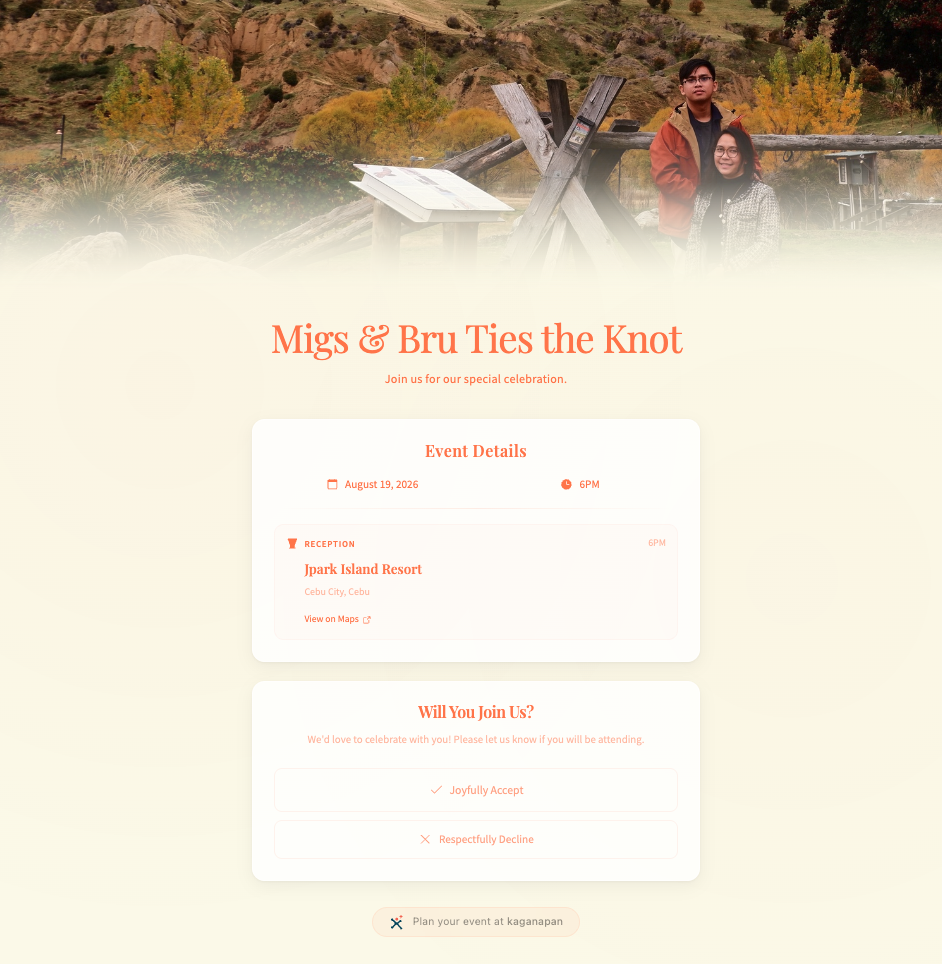
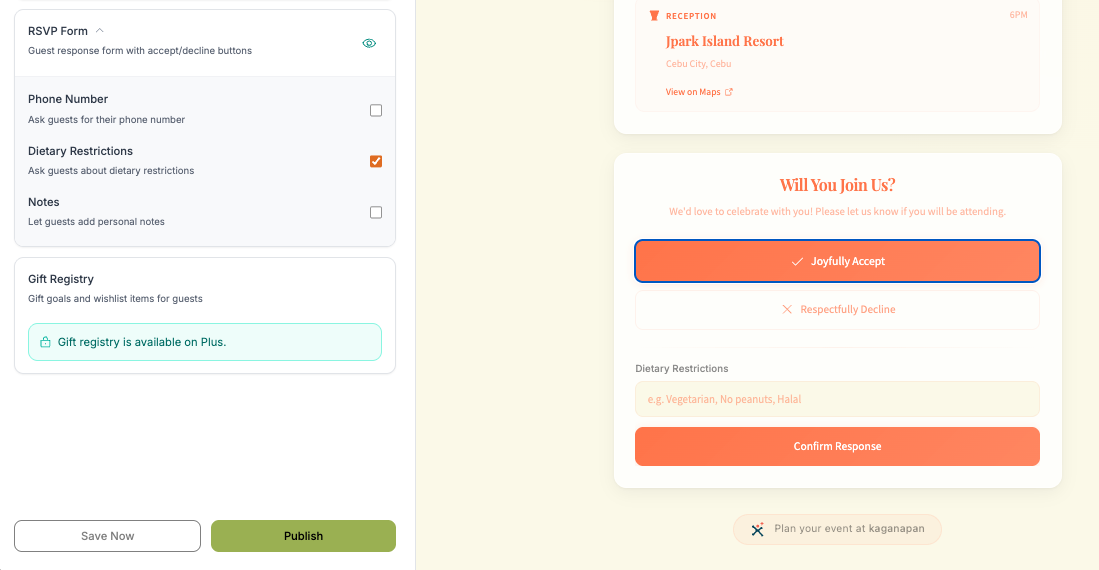
On kaganapn, your RSVP page is automatically generated when you create your event. The AI picks colors and styling based on your wedding theme, so if you chose a garden wedding, your RSVP page already feels like it matches your vision. No designing. No building. It's just there.
Your guests receive a link. They open it on their phone. They see a beautiful, branded page with your event details. They tap to confirm. Done.
No app download. No signup. No seen with no reply.
Your guests get a modern experience
Think about what your guests currently experience: they get a PDF or image on Viber, maybe a printed card if you went traditional. To RSVP, they have to open Messenger, find your chat, type a reply, and hope you see it among your other 50 wedding-related conversations.
With a digital RSVP page, their experience is completely different. They tap a link, see a clean page with your wedding details, and confirm attendance right there. It takes 30 seconds. It feels modern and polished, like you've got everything figured out.
And let's be honest, when your guests see a real RSVP page instead of kindly confirm via text po, it sets the tone for your wedding. It tells them this is going to be a well-planned celebration.
You control who gets a plus-one (and who doesn't)
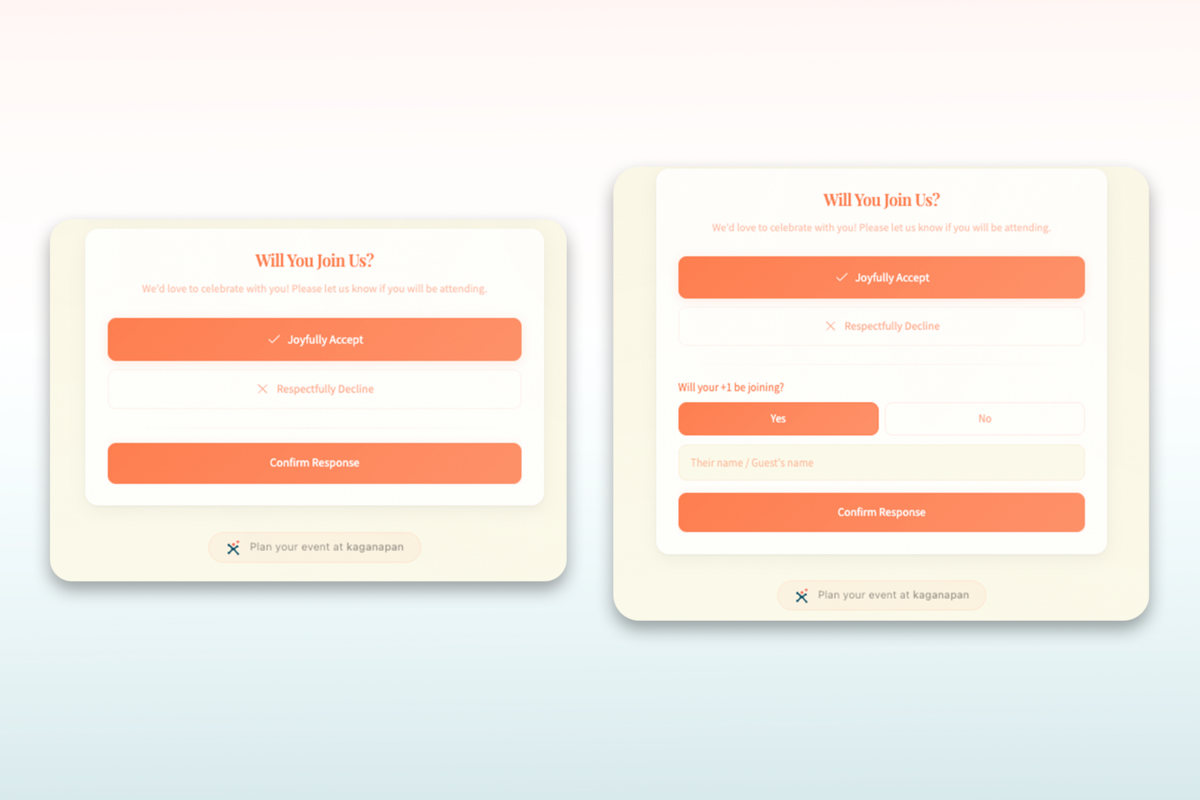
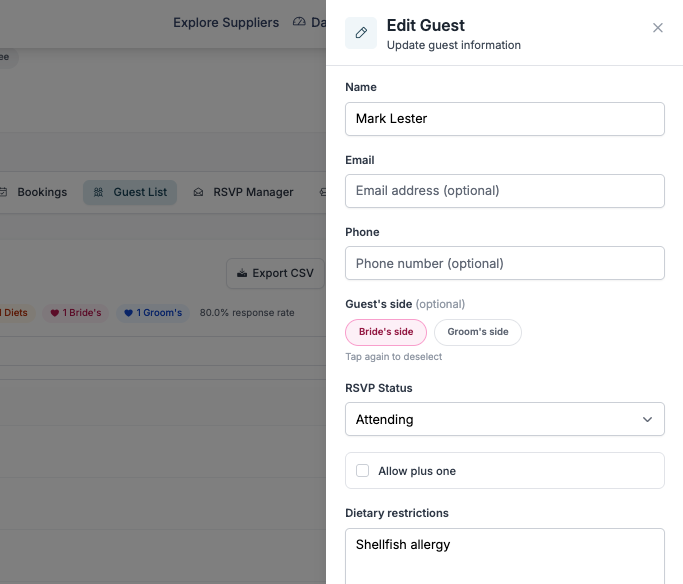
This is one of the most underrated features of digital RSVPs. On kaganapn, you decide on a per-guest basis who gets a plus-one option and who doesn't.
When a guest opens their RSVP page, they only see what you've allowed. If they have a plus-one, there's a field for it. If they don't, the field simply isn't there. No awkward sorry, no plus-ones conversation needed. No one even knows they were treated differently.
Compare that to a group chat announcement where you say please confirm, plus-ones are limited and then spend the next two weeks fielding messages about exceptions.
Every response goes straight to your guest list
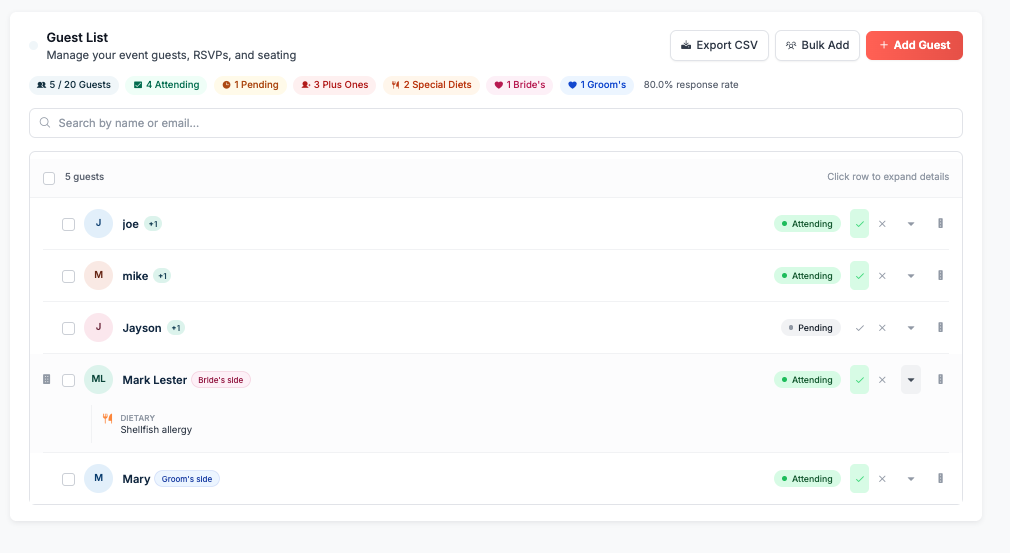
Here's where it saves you real time. When a guest confirms on your RSVP page, their response flows directly into your kaganapn guest list. Their status updates from pending to attending automatically. Their plus-one name gets recorded. Their dietary restrictions are captured.
You never have to:
- Open a Messenger thread to check who replied
- Switch to a spreadsheet to update their status
- Manually type in their plus-one's name
- Ask separately about food allergies or dietary needs
It just updates. In real time. You can check your dashboard anytime and see exactly where your guest list stands: who's confirmed, who's pending, who declined, how many plus-ones you have, and what dietary accommodations you need to plan for.
Dietary restrictions and special needs, handled
Speaking of dietary needs, this is something most couples handle through a separate round of messages: Hi po, do you have any food allergies or dietary restrictions?
With kaganapn's RSVP page, guests can note their dietary needs right when they confirm. Vegetarian, halal, allergies, or any special requests. It's all captured in one place, attached to their name in your guest list.
When it's time to finalize your catering order, you don't have to dig through old messages. You just check your guest list and the information is there.
Bride's side or groom's side
For weddings, kaganapn lets you tag each guest as bride's side or groom's side. This helps with seating arrangements, headcount planning, and the inevitable conversation about whose guest list is longer.
You can filter your guest list by side anytime to see the breakdown. And yes, it usually reveals that one partner significantly underestimated how many just a few people they had in mind.
Once your RSVPs are in and you know your final headcount, Plus tier unlocks a seating chart where you can create tables and drag-drop guests into seats. But that's a topic for another blog post.
What's free and what's not
We believe in being transparent about this. Here's what each tier gives you for your RSVP:
Free tier: You get a fully functional RSVP page with custom colors, guest list management for up to 20 guests, RSVP tracking, plus-one control, dietary restriction collection, bride/groom side labels, and bulk guest adding. The page looks clean and works great out of the box.
Plus tier: Everything in Free, plus up to 150 guests and the full RSVP page builder. This unlocks custom fonts, flexible layouts, editable content sections, and removal of kaganapn branding. If you want your RSVP page to feel completely custom-designed for your wedding, this is where you get that control.
Pro tier: Everything in Plus, plus unlimited guests, advanced analytics, and priority support.
The free tier gives you a polished, functional RSVP page with your own colors. The paid tiers unlock the builder for couples who want full control over fonts, layout, and content.
How to set it up
Setting up your digital RSVP takes about 2 minutes:
- Create your event on kaganapn (it's free to sign up)
- Enter your event details: type, date, location, guest count, budget, and theme
- The AI generates your event plan, and your RSVP page is automatically created with theme-matched styling
- Add your guests to the guest list (you can bulk-paste names to save time)
- Set who gets a plus-one and who doesn't
- Share the RSVP link with your guests
That's it. Your RSVP page is ready to share. If you want to customize it further, the page builder lets you adjust colors, and on paid plans you can change fonts, layouts, and content sections. But even without touching the builder, your page looks great from the start.
Your wedding deserves better than kindly confirm via text
We built this feature because we went through the manual RSVP process ourselves. The chasing. The spreadsheet updates. The follow-ups. The tita who confirmed three times. It was one of the most tedious parts of our wedding planning.
Your guests deserve a modern, easy experience. You deserve to get your time back. And neither of you should have to deal with the seen zone ever again.
Try it free at kaganapn.com. It takes 30 seconds to sign up, and your RSVP page is ready the moment you create your event.
[image:image-9 not found]
Tags:
Michael Magon
kaganapn Team
Passionate about helping organizers and suppliers connect to create unforgettable events. Writing about event planning tips, industry insights, and how to make the most of kaganapn.