
Digital RSVP

Digital RSVP and wedding website for events in the Philippines

Send one link on Messenger, Viber or SMS. Your guests tap it, say yes or no, and tell you who's coming with them, no app and no sign-up. Your guest list updates itself, so you stop chasing "Seen" replies in the GC.

  • Free for up to 20 guests
  • No app for guests
  • Doubles as your wedding website
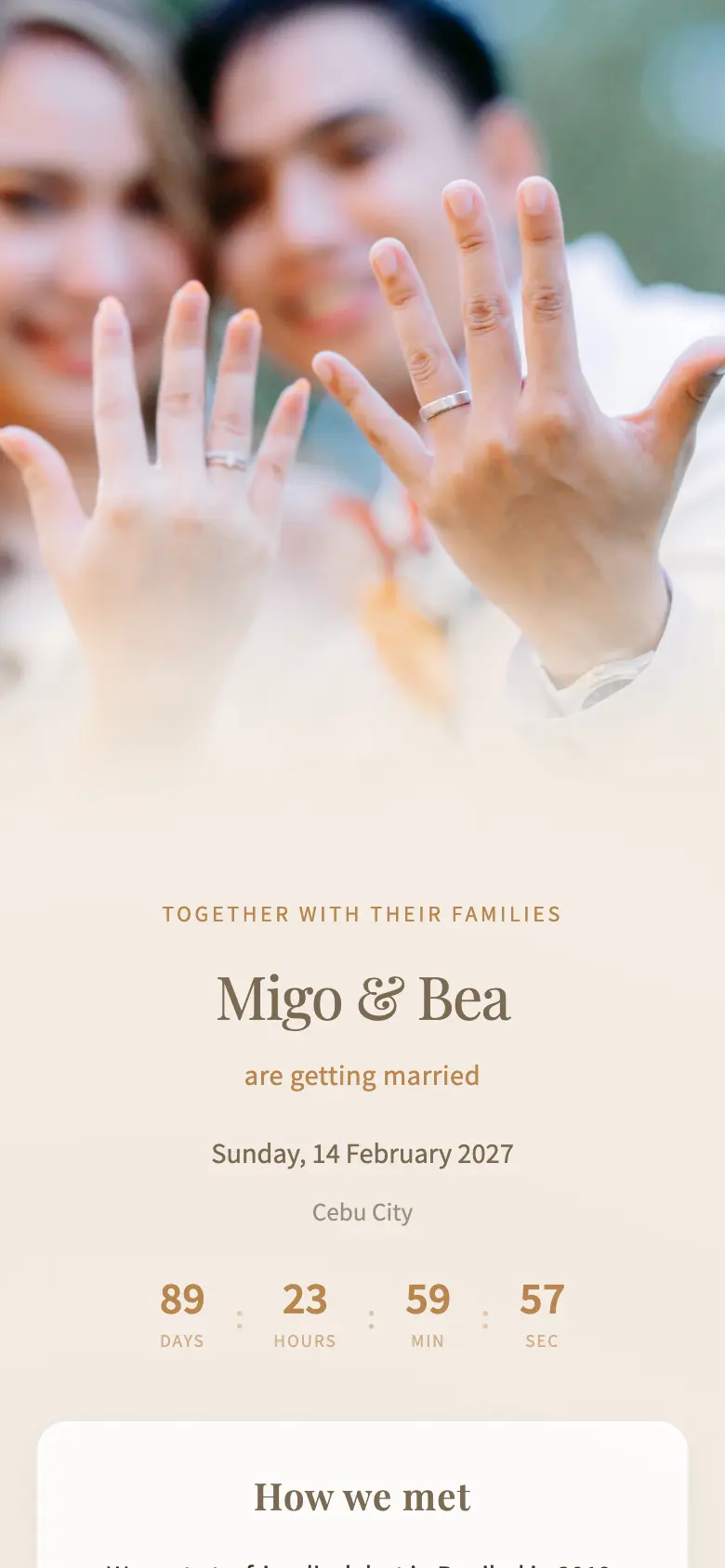
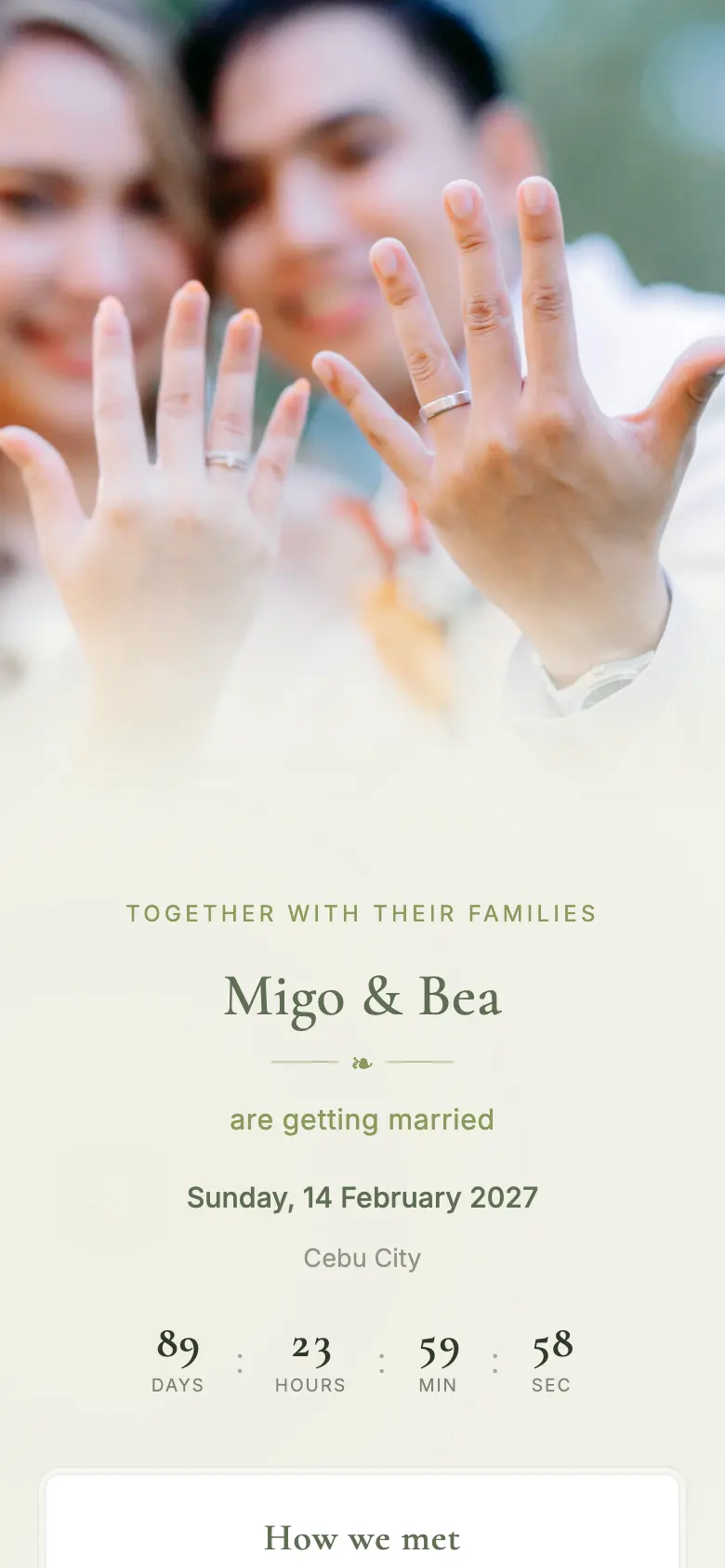
A kaganapn RSVP page on a phone: the couple's photo, their names, the date and a countdown
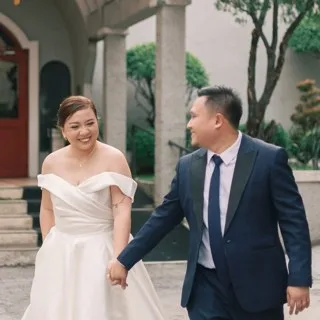
Em and her husband on their wedding day
“Suuper big help jud with our planning, most especially the RSVP and Seating. Definitely recommending this to my engaged friends.”
Em · Cebu, August 2026

Why couples switch from Google Forms and group chats

An RSVP link that knows who each guest is, and a guest list that keeps itself up to date.

Every guest gets their own RSVP

Send personal links, or post one link and guests find their name. No "plus 3" surprises either way.

Send it where your guests already are

Messenger, Viber, SMS or a paper invite.

A live headcount for your caterer

By side of the family, ready for seating.

Looks like your invitation

27 styles, recoloured to your motif.

kaganapn vs Google Forms, Canva and Facebook sellers

What most Filipino couples try first, and where it runs out.

Feature kaganapn Google Forms Canva template FB e-invite seller
Replies update your guest listInto a spreadsheetUsually a Google Form
Each guest gets their own RSVPRarely
Looks like your invitation
Seating, registry and website in one placeExtra fee
Edit details after sendingRe-export and resendAsk the seller
Typical costFree to ₱1,299Free₱90 to ₱3,000₱800 to ₱3,000

Prices checked November 2026.

Live demo

Try it the way your guests will

Open the demo RSVP on your phone and reply as a guest. Nothing on it is a real guest.

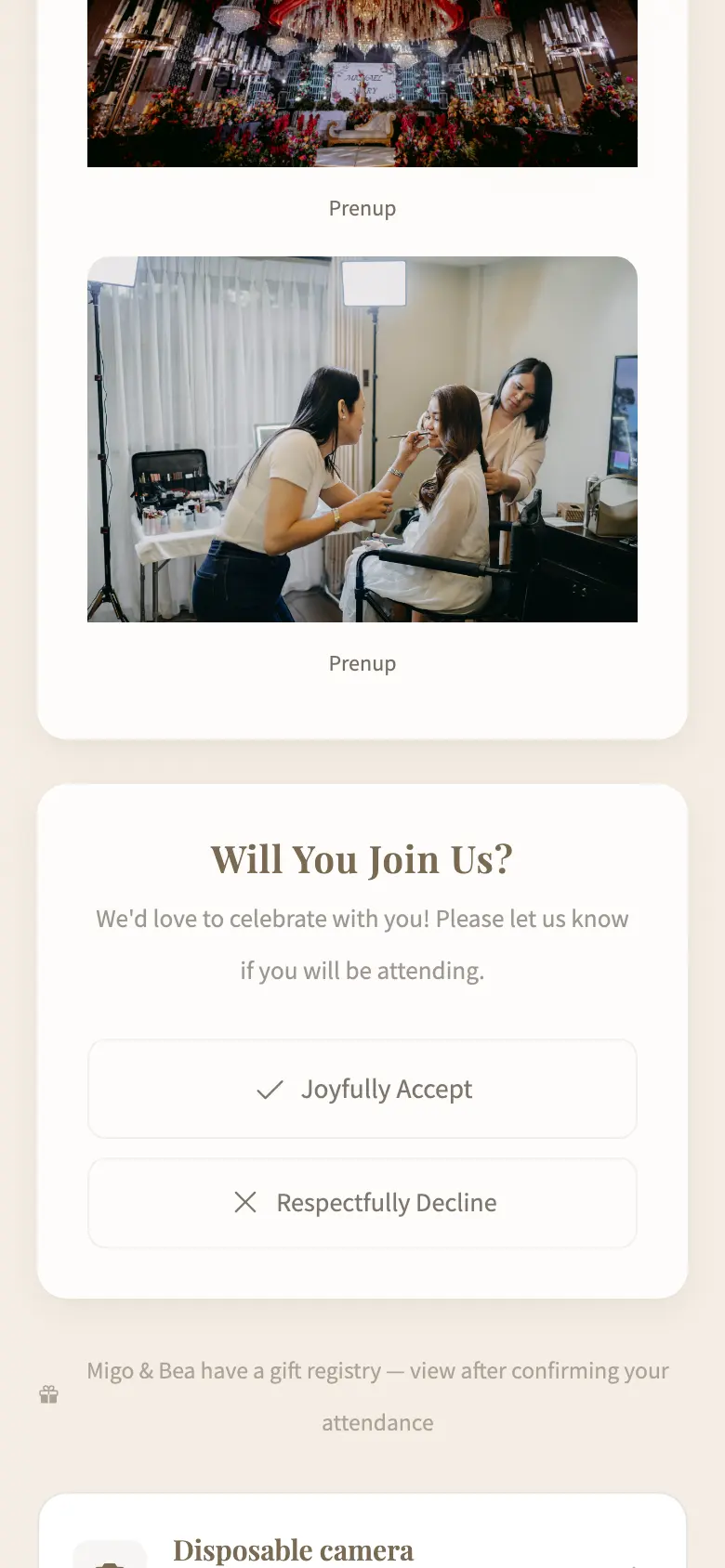
The RSVP card: Will You Join Us? with Joyfully Accept and Respectfully Decline buttons

1. Tap the link. Will you join us? Accept or decline.

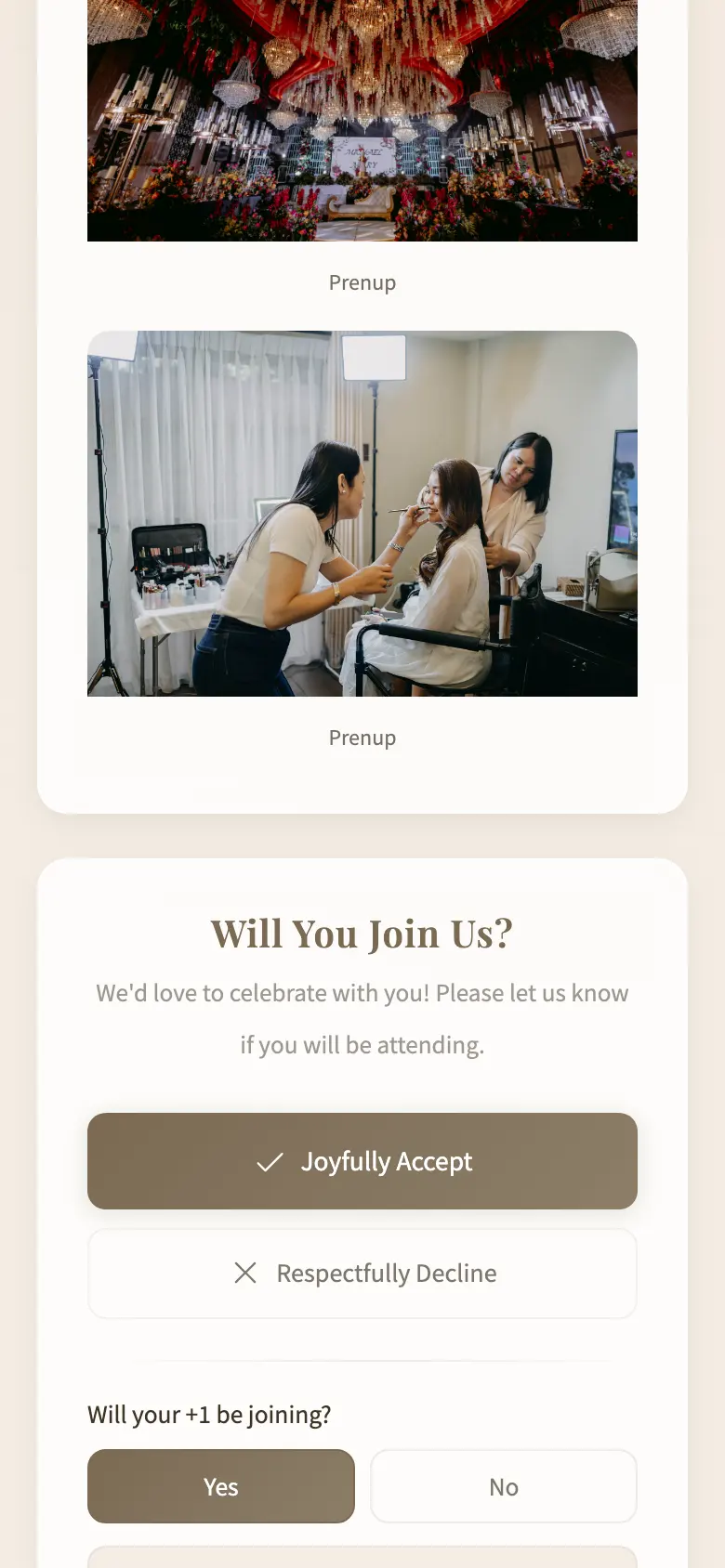
After accepting: plus-one yes or no, their name, phone number, dietary restrictions, notes for the couple, Confirm Response

2. Add the details. Plus-one, phone, dietary notes, a message.

Confirmation: See you there! Your response has been recorded, with a Change response link

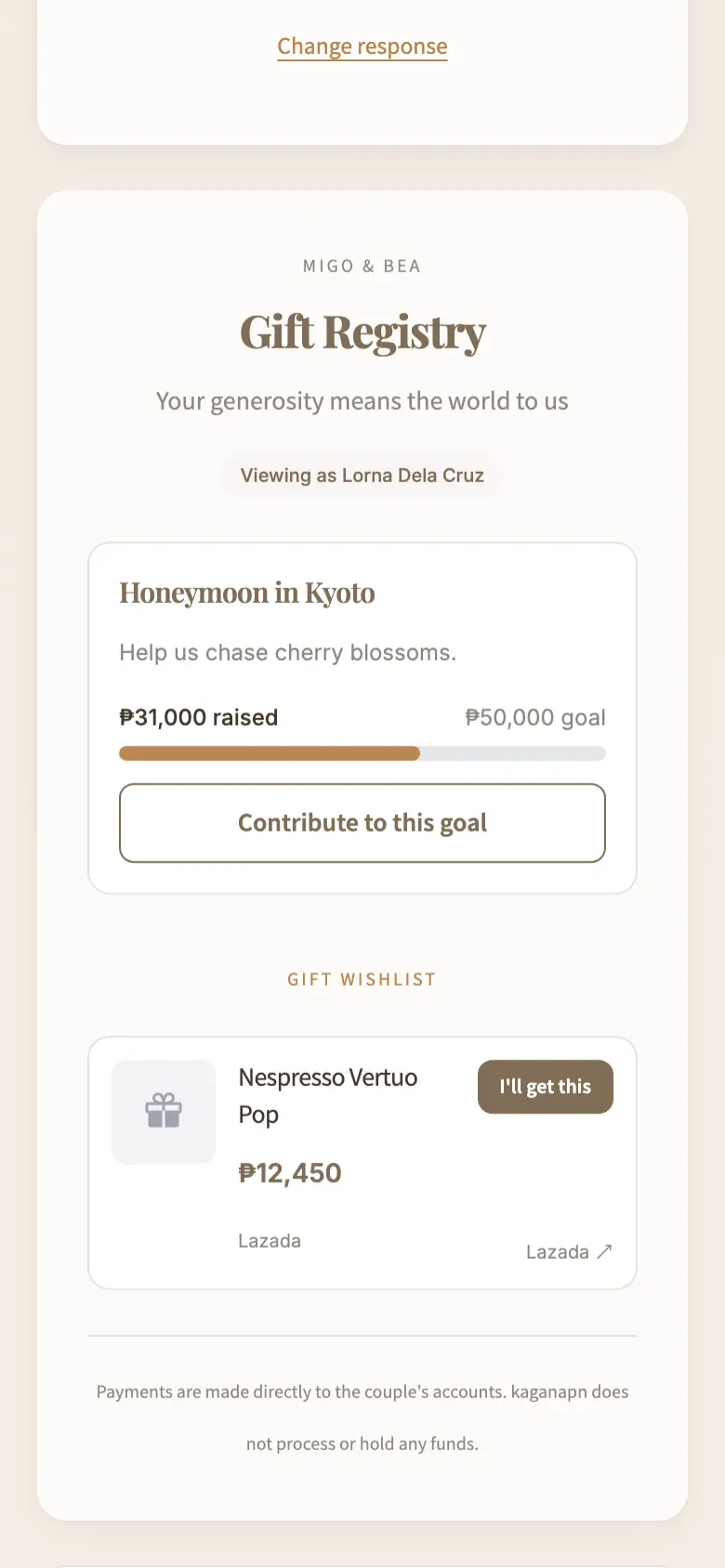
3. Done. "See you there!" and the gift registry opens below.

Warm & Timeless style with the default wording. Every label is editable in the builder.

Meanwhile, on your guest list:

kaganapn.com/events/migo-and-bea/guests

Guest List

2/80

Manage your event guests, RSVPs, and seating.

Add Guest
Search by name or email…
Filters
  • All 5
  • Attending 2
  • Pending 2
  • Declined 1
  • Invited 5
  • Reserve 0

2 / 80 guests · 78 spots left

5 guests
  • UR

    Uncle Rey

    Principal Sponsors · Seat 1

    Attending
  • TB

    Tita Belen

    No table assigned

    Declined
  • HT

    Honey Tupaz

    Principal Sponsors · Seat 2

    Attending
  • ML

    Mark Lester

    No table assigned

    Pending
  • RS

    Ronnie Soo

    No table assigned

    Pending

Your RSVP page is also the wedding website

Turn on the sections you need under the RSVP, and turn off the rest. Each one is filled in from your event, so you only type things once.

2019 · Banilad

How we met

We met at a friend's debut, argued about the best lechon in Cebu, and never stopped talking. Six years and one pamamanhikan later…

Your love story

How you met, with photos. Stuck? The AI writer drafts it from a few bullet points, and you edit from there.

Principal sponsors

Mr. Ramon Tan

Mrs. Cora Tan

Engr. Boy Villanueva

Dr. Lorna Villanueva

Candle

Paolo & Mitch

Veil

Carlo & Beth

Cord

Francis & Kim

Entourage

Principal sponsors, best man and maid of honor, candle, veil and cord sponsors, bearers and flower girls, in the order the program calls them.

  1. 2:00 PMCeremony, Basilica del Sto. Niño
  2. 6:00 PMReception, Marco Polo Plaza
  3. AttireFilipiniana / Barong

Event details

Ceremony and reception times, venues, dress code and your colour motif. Change a time once and every guest sees the update.

Marco Polo Plaza

Nivel Hills, Lahug, Cebu City

Open in Google Maps

Venue map and directions

A one-tap Google Maps link for the church and the reception, plus a travel and stay section for guests flying in.

How to make an RSVP link for your wedding

Three steps, about ten minutes.

  1. 01

    Add your guests

    Type them in or paste your list. Tag sides, sponsors and plus-ones as you go.

  2. 02

    Pick a style, then send

    Choose a look, add your details, and copy each guest's link into Messenger or Viber, or share one public link.

  3. 03

    Watch the replies come in

    See who's coming, who declined and who still hasn't opened it, then send a gentle follow-up to the ones who haven't.

Free plan

20 guests

RSVP page, guest list and a one-table seating chart. No card needed, and no time limit.

Free to start. Pay once per event when you need more.

Plus

₱499/event

  • Up to 150 guests
  • All 27 styles, your colours
  • Bank QR gift goal
  • No kaganapn branding

Pro

₱1,299/event

  • Unlimited guests
  • Public link with self sign-up
  • Event Snaps and live photo wall
  • Full gift registry
Compare every plan

Digital RSVP questions

Can guests reply through a Messenger or Viber link?

Yes. Copy the link and paste it into Messenger, Viber, SMS, Instagram or email. It opens in the chat app's own browser, so guests reply without leaving the conversation.

Do guests need to download an app or make an account?

No. The RSVP is a web page. Your lola can reply from her phone in a few taps, and nobody has to remember a password.

Can I limit who can RSVP?

Yes. Every guest gets their own link with their name on it, so a forwarded link cannot add strangers. If you gave someone a plus-one, their page asks who is coming with them. On Pro you can also open a public link where new guests sign themselves up.

Can I share one link instead of sending each guest their own?

Yes. On Plus and Pro, turn on the Public RSVP Link in the RSVP builder, copy it and post it once in the group chat. Guests open it, search for their name and land on their personal invitation, so only people on your list can reply. On Pro you can also switch on self-registration, and a guest who is not on the list adds themselves from the same page.

Is it really free?

The Free plan covers up to 20 guests, which suits intimate weddings, christenings and small birthdays. Bigger lists move to Plus (₱499, up to 150 guests) or Pro (₱1,299, unlimited), paid once per event, never monthly.

Can I use it for a debut, binyag or company party?

Yes. The RSVP works for any event: weddings, debuts, christenings, birthdays and corporate parties. Pick a style that fits the occasion and the same link, guest list and seating chart work the same way.

Do I still need a separate wedding website?

No. Your RSVP page is the wedding website. Turn on the sections you want, such as your story, the entourage, the schedule, the venue map, the gallery and the gift registry, and guests see all of it on the same link they use to reply.

Send your RSVP link tonight

Free for your first 20 guests. Upgrade only if your list grows.

Start free