Live photo wall for your reception: guest photos on the LED wall or TV in seconds
Guests take photos with Event Snaps and they appear on the venue's LED wall, the TV by the buffet or a projector within seconds, with the guest's name in the corner. One link, opened full screen on any laptop. Nothing to install at the venue.
- Any screen with a browser
- Updates in seconds
- Hide a photo and it leaves the wall

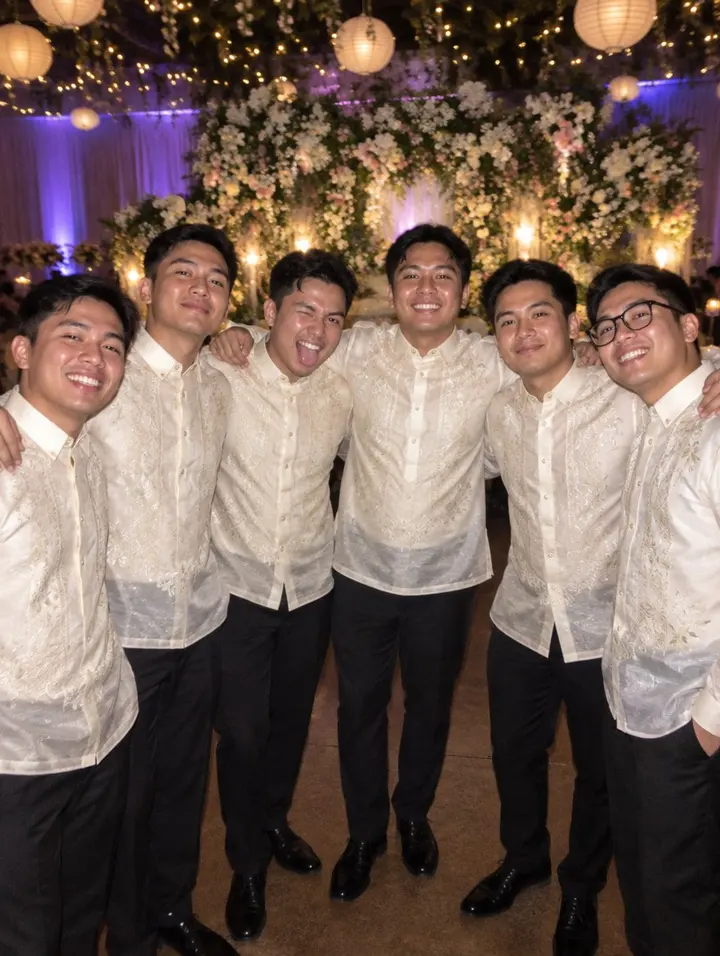







The photos are staged; a real wall shows the snaps your guests take.
Paano gumagana ang live photo wall
Three parts: the guests' phones, your album and one screen. The wall is the screen's view of the album, refreshed every few seconds.
Guests scan the QR sa table
They check in with their name and take their 10 snaps with Event Snaps. No app, no account, their own mobile data.
Photos land in your album
Every photo is credited to the guest and sits in your album first. Hide one and it never reaches the wall; unhide it later and it comes back.
One link on the screen
Copy the slideshow link from your event page, open it full screen on the laptop plugged into the LED wall or the TV, and leave it. New photos slide in on their own.
Live wedding slideshow from guest photos, no app on either side
Most "live slideshow" setups need someone collecting photos from a group chat and dragging them into a folder all night. Here the photos are already in your album the moment a guest takes them, so the wall simply shows the newest ones.
- Works on the venue's screen: an LED wall through the AV laptop, a smart TV's browser, or a projector. If it can open a web page, it can run the wall.
- Keeps going if the Wi-Fi blinks: the slideshow cycles through what it already has and catches up when the connection returns.
- A link you control: reset it from your event page if it was shared somewhere it shouldn't be, and the old one stops working.
- For debuts and company parties too: the wall runs the same for an 18th birthday's cotillion or the office year-ender's raffle.
Live photo wall vs an LED wall rental
In the Philippines "photo wall" usually means the backdrop guests pose against, and "LED wall" means the rented screen. The live wall is software: it needs a screen but not a rental.
- LED wall rental, one evening (Cebu)
- ₱8,000 and up
- Printed photo wall backdrop
- ₱3,000 to ₱15,000
- Live photo wall with Event Snaps
- Included in Pro, ₱1,299
Rental prices as quoted by Cebu suppliers, November 2026. Many venues already have a TV or a projector you can use instead.
Set up the live wall in three steps
Ten minutes the week before, two minutes at the venue.
-
01
Turn on Event Snaps
On Pro, switch the camera on in your RSVP builder and print the QR cards for the tables.
-
02
Copy the slideshow link
From the Event Snaps card on your event page. Send it to the venue's AV contact or keep it on your own laptop.
-
03
Open it full screen
On the laptop plugged into the LED wall or TV. Press F11 and let the night run.
Live photo wall questions
What do I need to run the live photo wall?
A screen and something that opens a web page: the venue's LED wall through a laptop, a smart TV's browser, or a projector plugged into any laptop. Open the slideshow link full screen and leave it.
Does it work without a strong Wi-Fi connection?
The wall needs the screen's laptop online; guests upload over their own mobile data. New photos appear within a few seconds of being taken, and the slideshow keeps cycling through what it already has if the connection drops.
Can I stop a photo from showing?
Yes. Hide it from your album and it leaves the wall on the next cycle. You can also reset the slideshow link if it was shared somewhere it shouldn't be.
Is a live photo wall different from a photo wall backdrop?
Yes. In the Philippines "photo wall" often means the printed or flower backdrop guests pose in front of. This is the screen version: a slideshow of the photos guests take during the party, updated live.
How much does it cost?
It is part of Event Snaps on the Pro plan, ₱1,299 paid once for the event. An LED wall rental in Cebu or Manila costs more than that for a single evening, and the wall works on the venue's TV just as well.
Works with the rest of your plan
Put your guests' photos on the big screen
Included with Event Snaps on Pro. Works on the venue's TV.
Start free